Publishing A World For Mobile in Meta Horizon Worlds Desktop Editor
Related Links:
- Developer documentation: Publishing worlds on mobile
- World preview image design guidelines
When to use:
Publishing a world optimized for mobile indicates to players that the world has been tested to consider the experience of users on mobile.
To publish a mobile world while in edit mode:
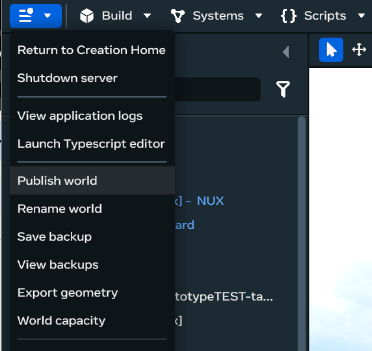
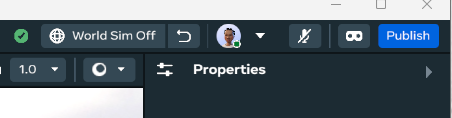
- Click ‘Publish” found in the upper right hand corner or in the main menu dropdown of the editor
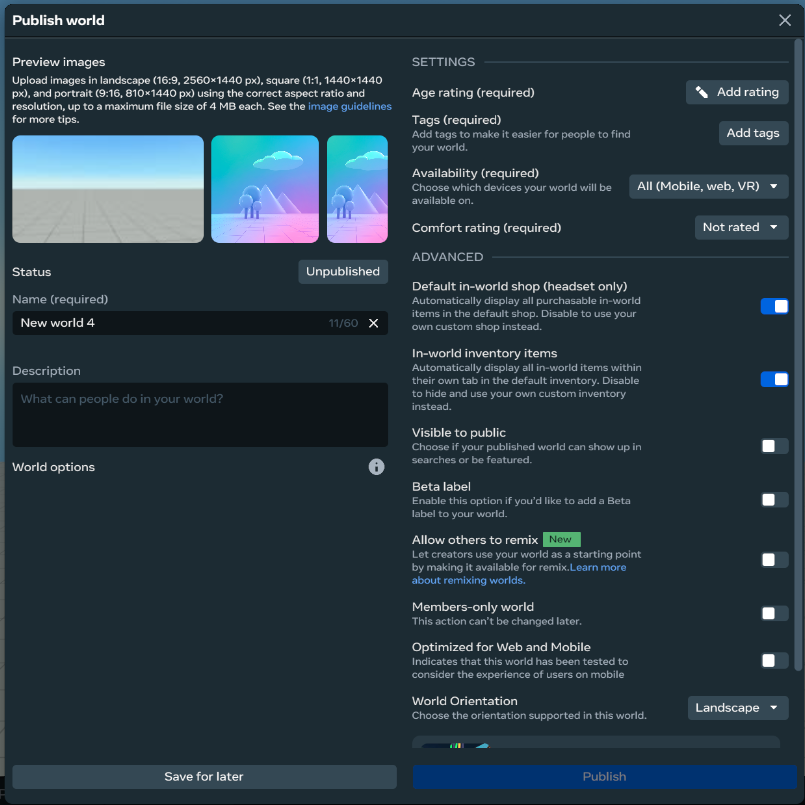
- Fill out the required text boxes and required Settings section
Tip: A description though not required helps players know about your game before visiting
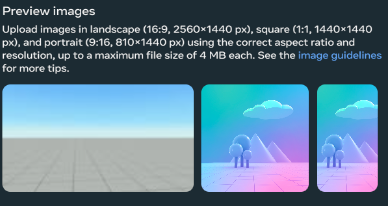
- Upload 3 images for your world in 9:16, 1:1 and 16:9 as key art for your world page, thumbnail and portal
- In the Settings section, for the Availability dropdown make sure to select an option that includes mobile.

- In the Advanced section, to make the world visible to player make sure you turn on Visible to public
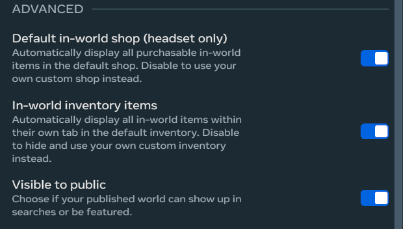
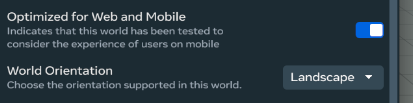
- Towards the bottom of the Advanced section, turn on Optimized for Web and Mobile, to let players know the experience has been created with mobile users in mind
Tip: If greyout out and not turned on, check that you selected an option that included “mobile” in step 3 when selecting “Availability”
- Click “Publish” to make your world live.
Tip: You can click “Save for later” instead if you want to pre-fill the necessary information and publish later

You now have a published mobile world!
Bonus Step:
Click World Insights to be taken to the creator page where you can get a link to your world
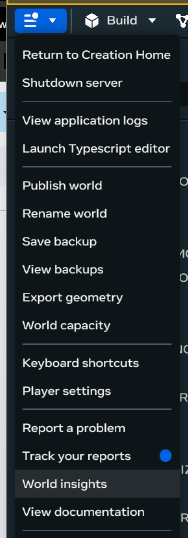

- Click ‘Publish” found in the upper right hand corner or in the main menu dropdown of the editor