Leaderboard Setup in Meta Horizon Worlds Desktop Editor
Related Links:
Developer documentation: Leaderboards
When to use:
To Display Saved Player Data such as Scores, Visits, Points etc
Steps:\
Outlined..
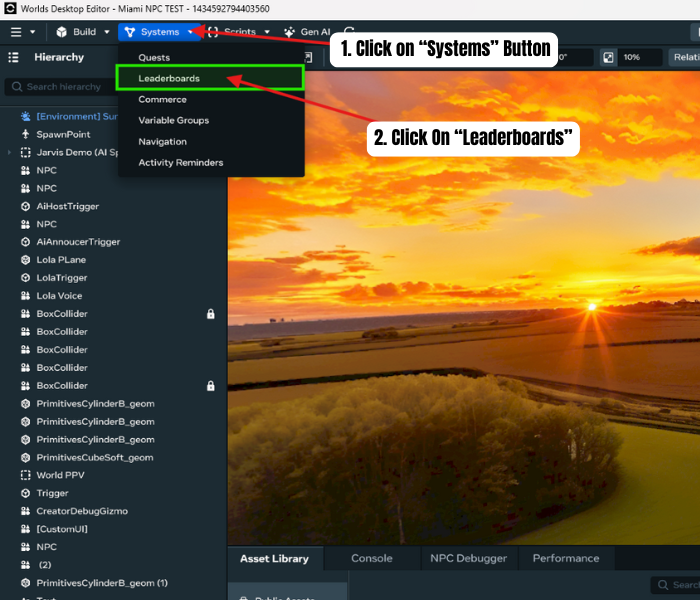
- Click on “Systems” Button on Top/Left of Desktop Editor
- Click On “Leaderboards”
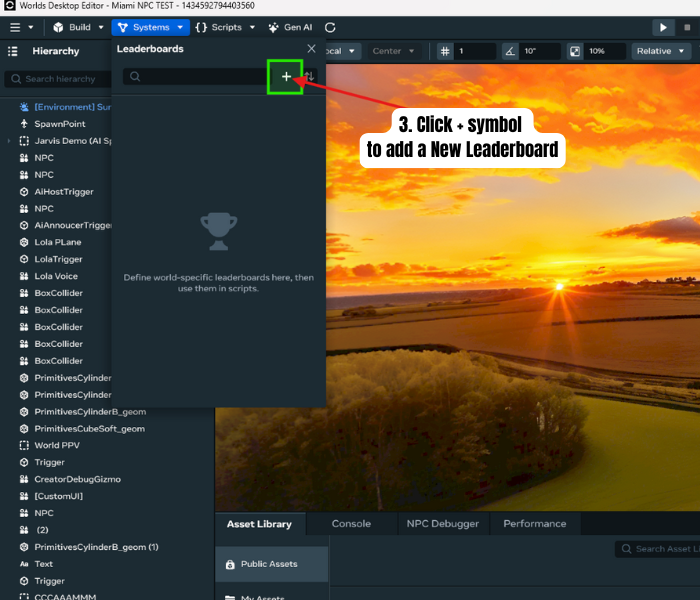
- Click “+” symbol to Create a New Leaderboard
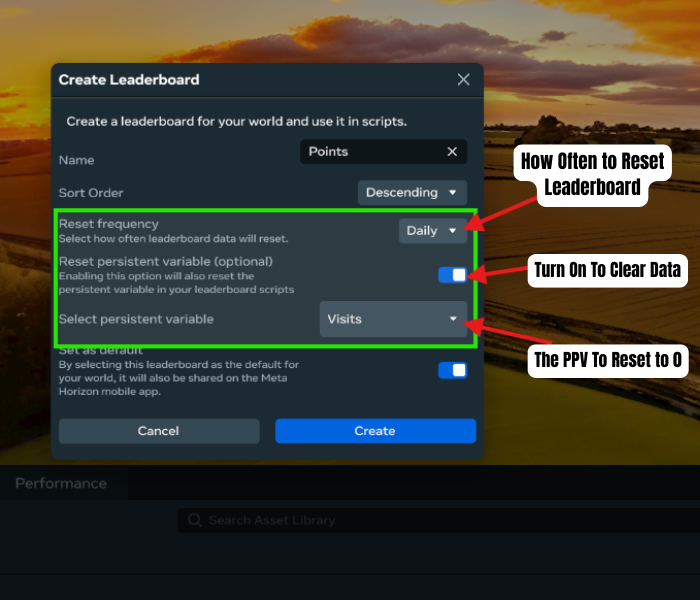
- Configure Settings
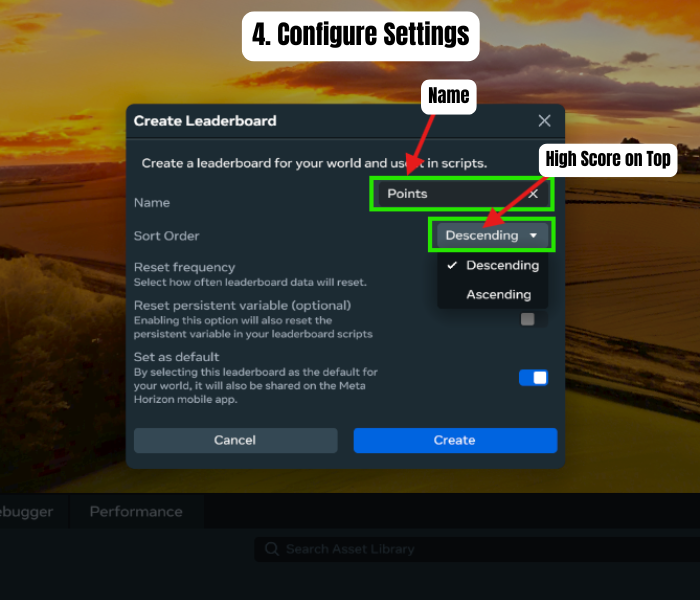
OPTIONAL Automatic Reset Data
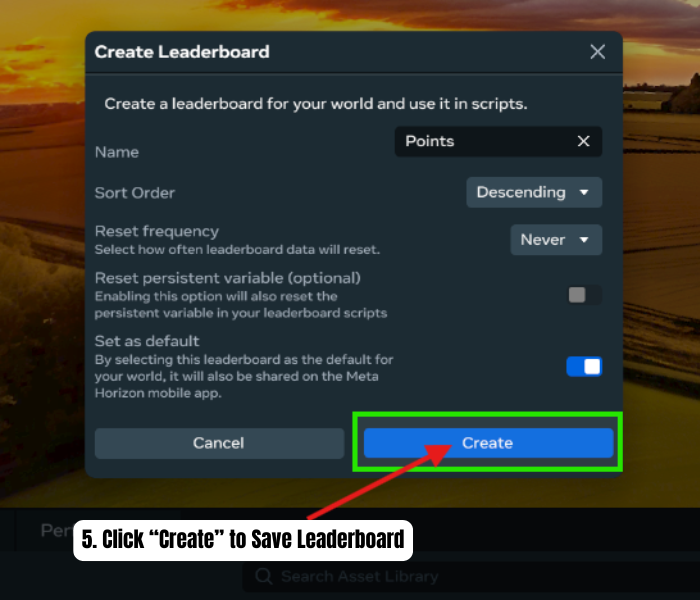
- Save “Create” Leaderboard
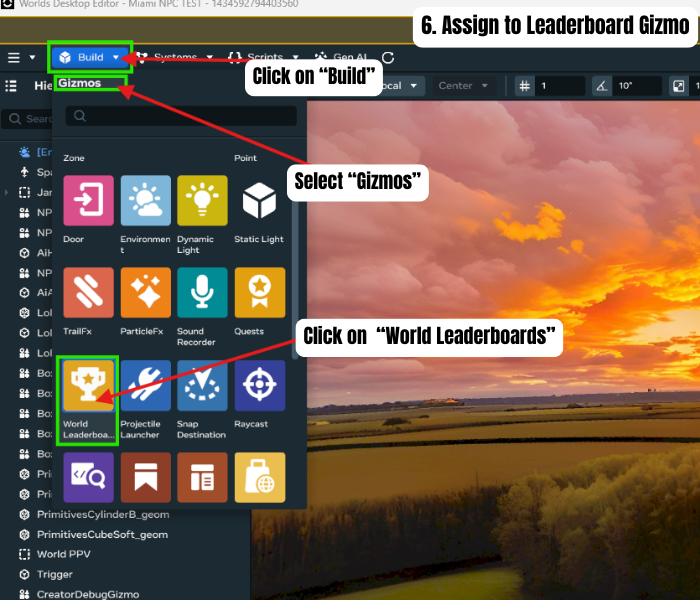
- Assign to a Leaderboard Gizmo
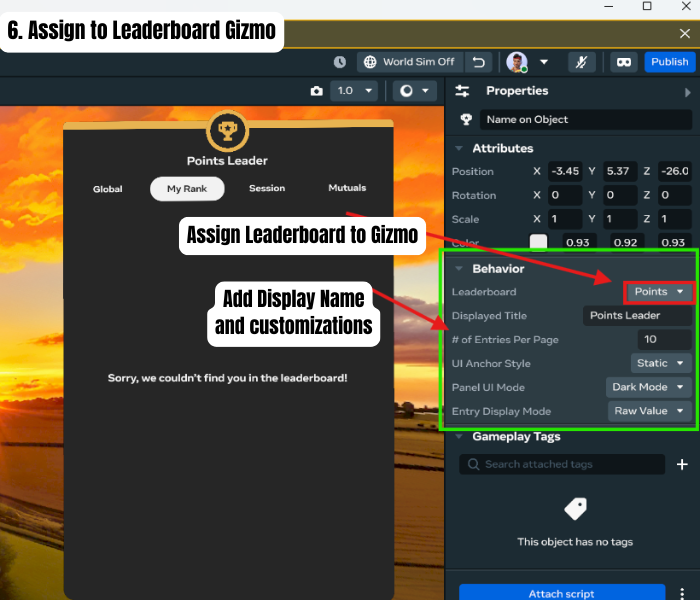
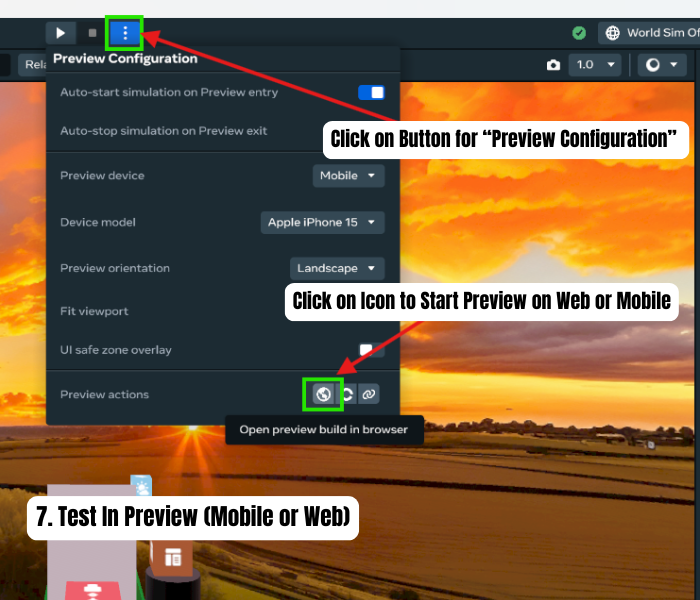
- Test and Note: (Does not Display Data in Desktop Editor)