Importing Custom Skydomes in Meta Horizon Worlds Desktop Editor
Related Links:
Developer Documentation: Importing Custom Skydomes
When to use:
Use this when you are ready to import a custom skydome to use within your world To upload a custom skydome in edit mode:
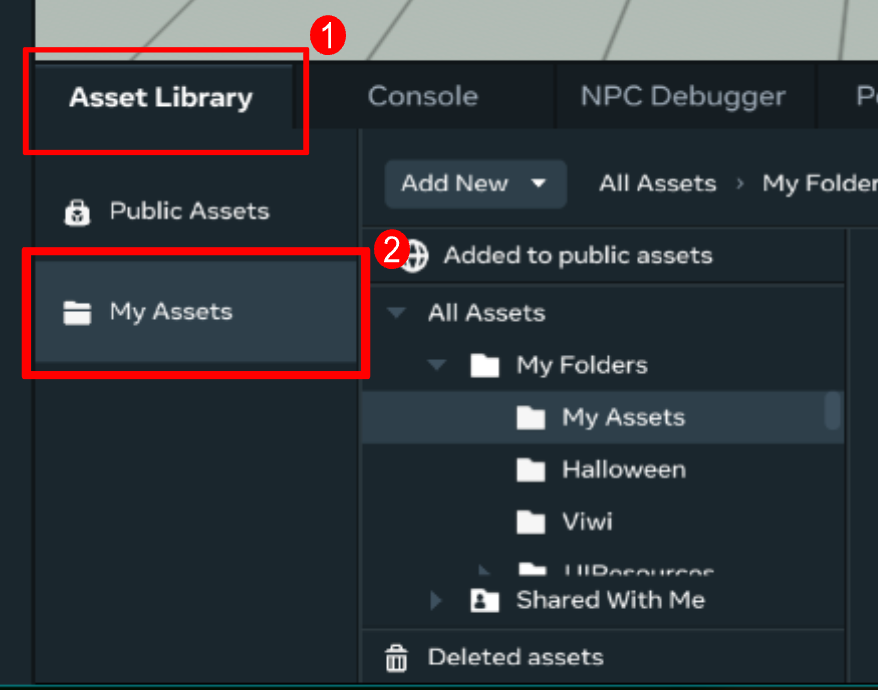
- Open the Asset Library and select My Assets
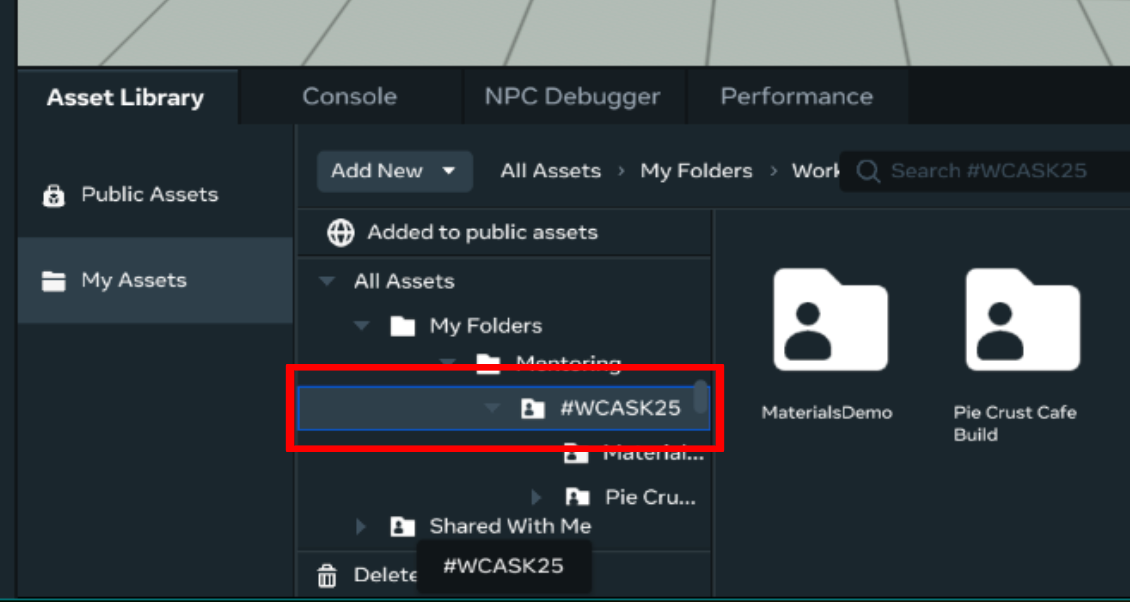
- Select the folder where you want to save your asset
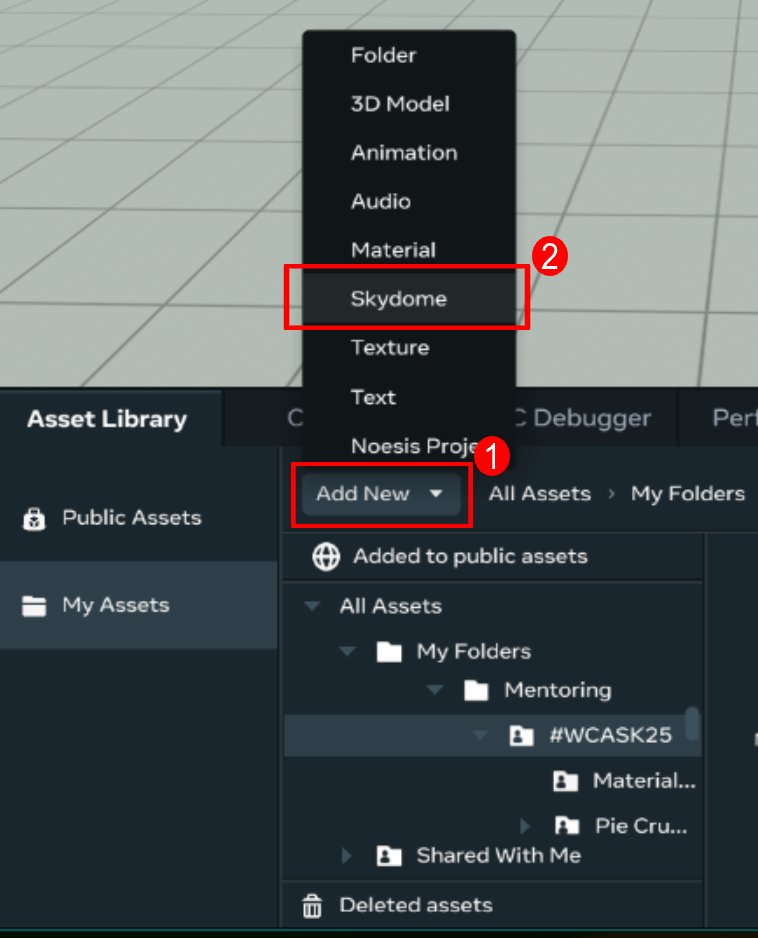
- Click Add New and select Skydome
- Note: Custom skydomes have 4 components. The Display Map is the only component that is NOT optional
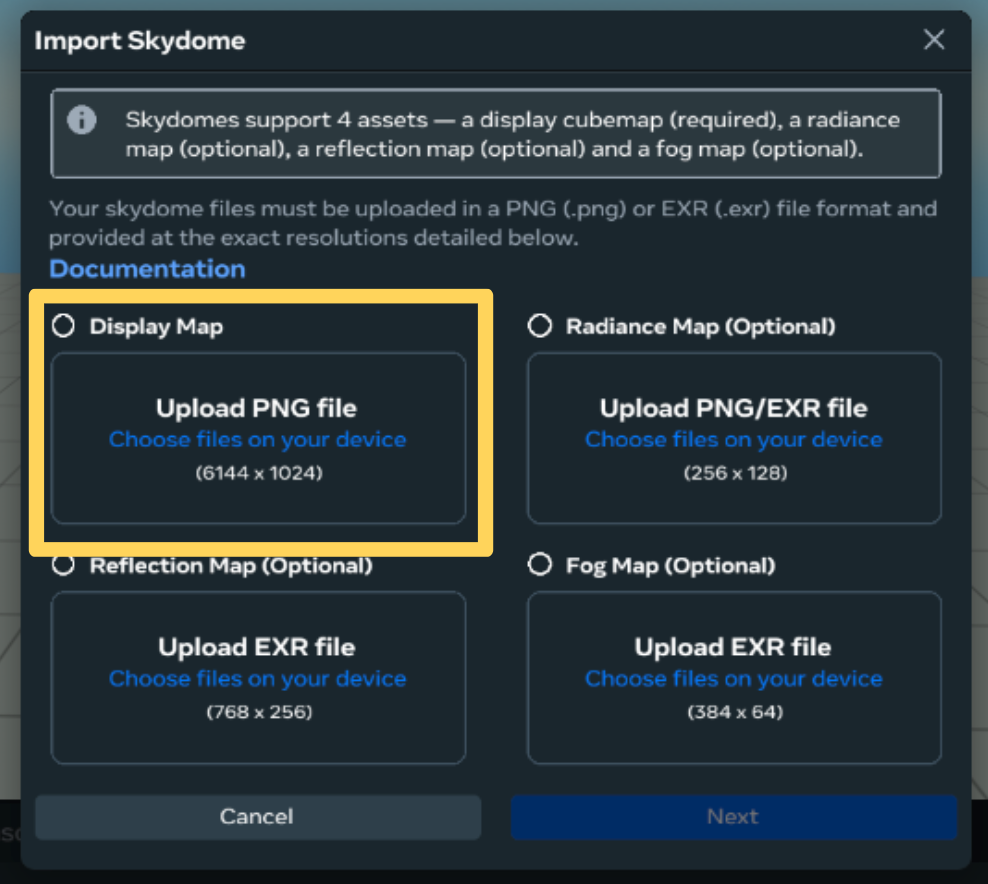
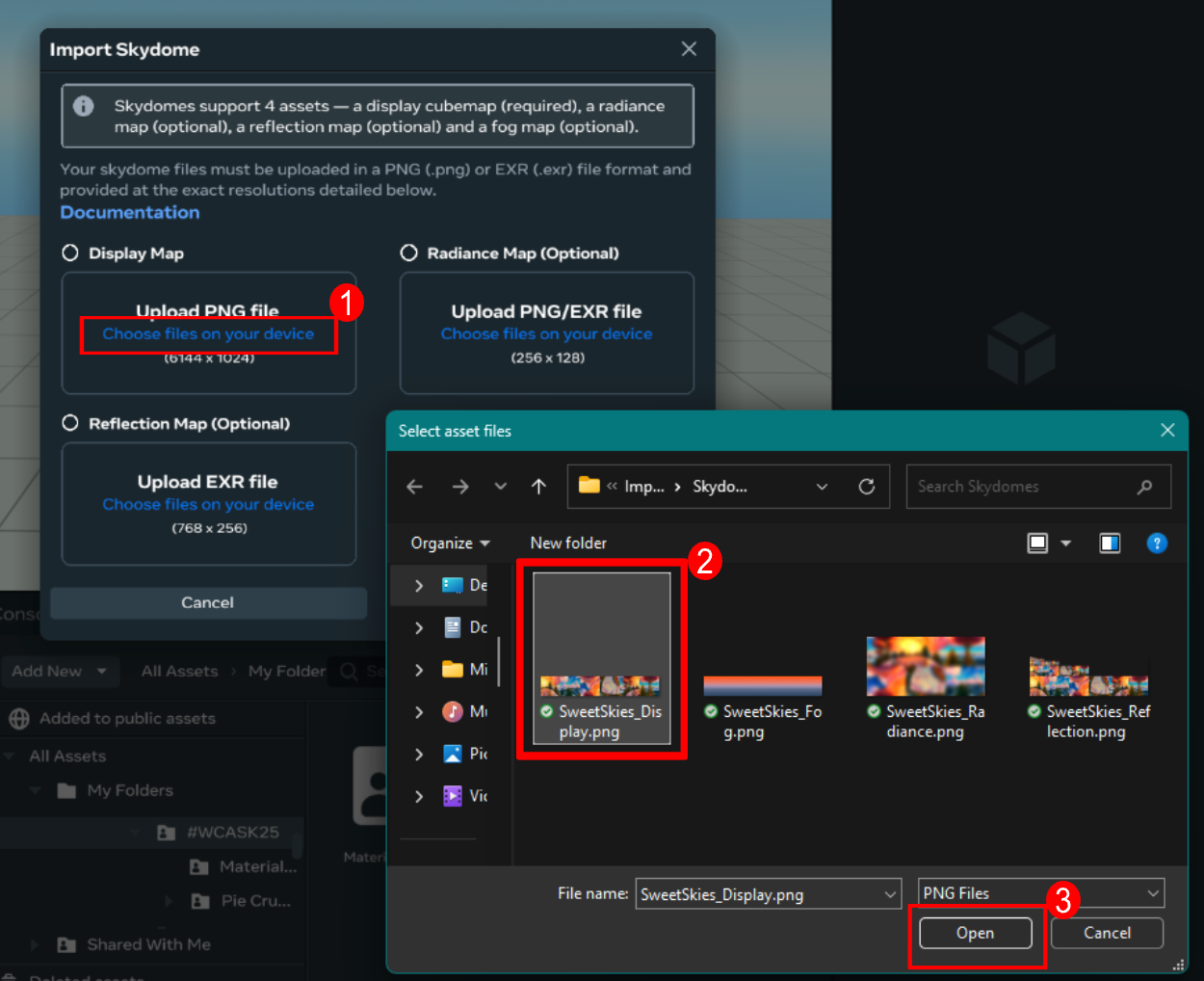
- For each map you wish to upload, select Choose files on your device, then select the map’s file in the file browser popup window, then press Open
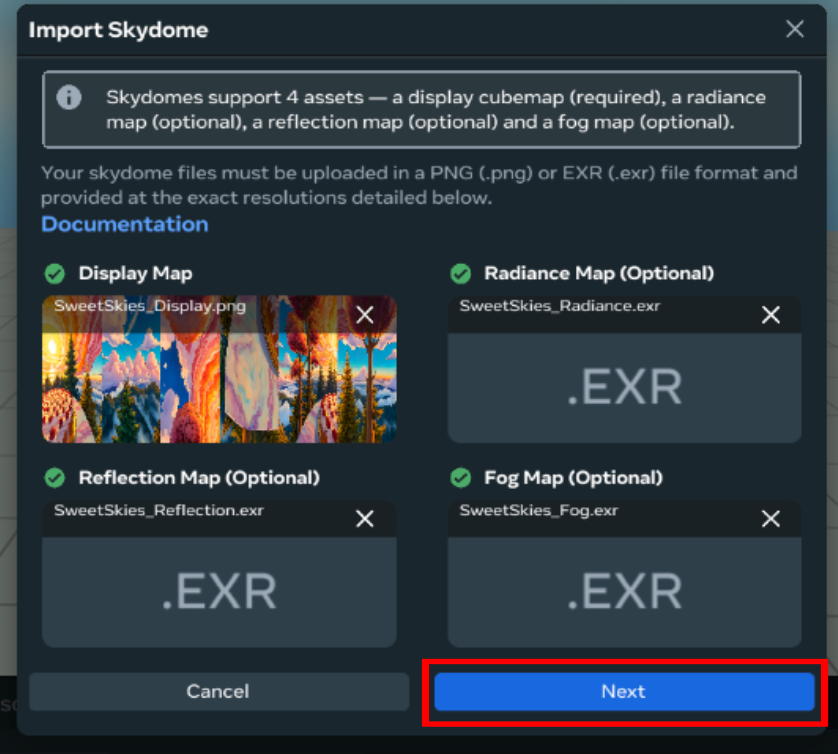
- When all desired maps have been added, press Next
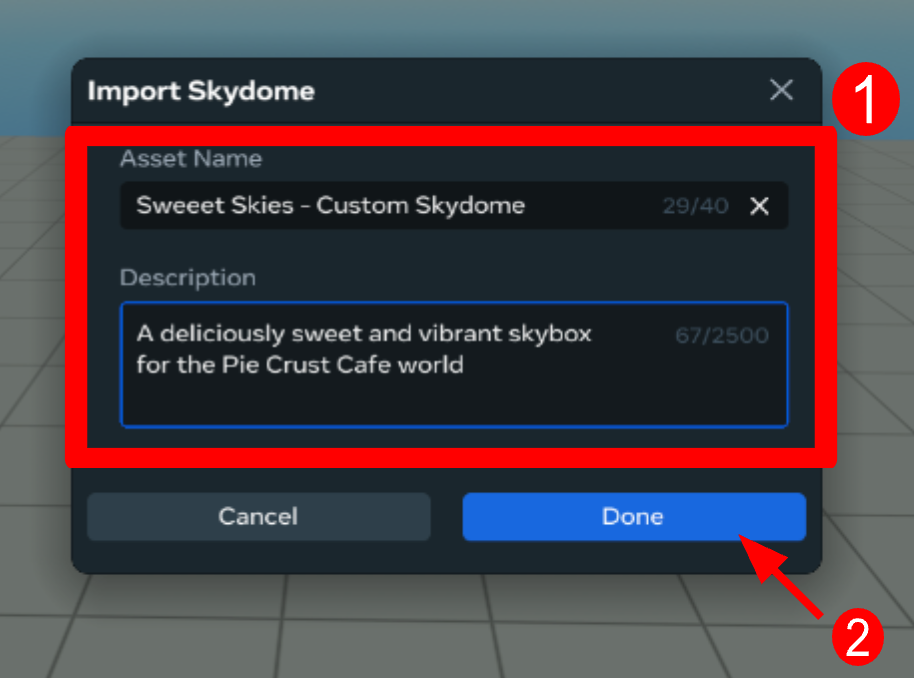
- Provide a name and description for the skydome asset, then press Done
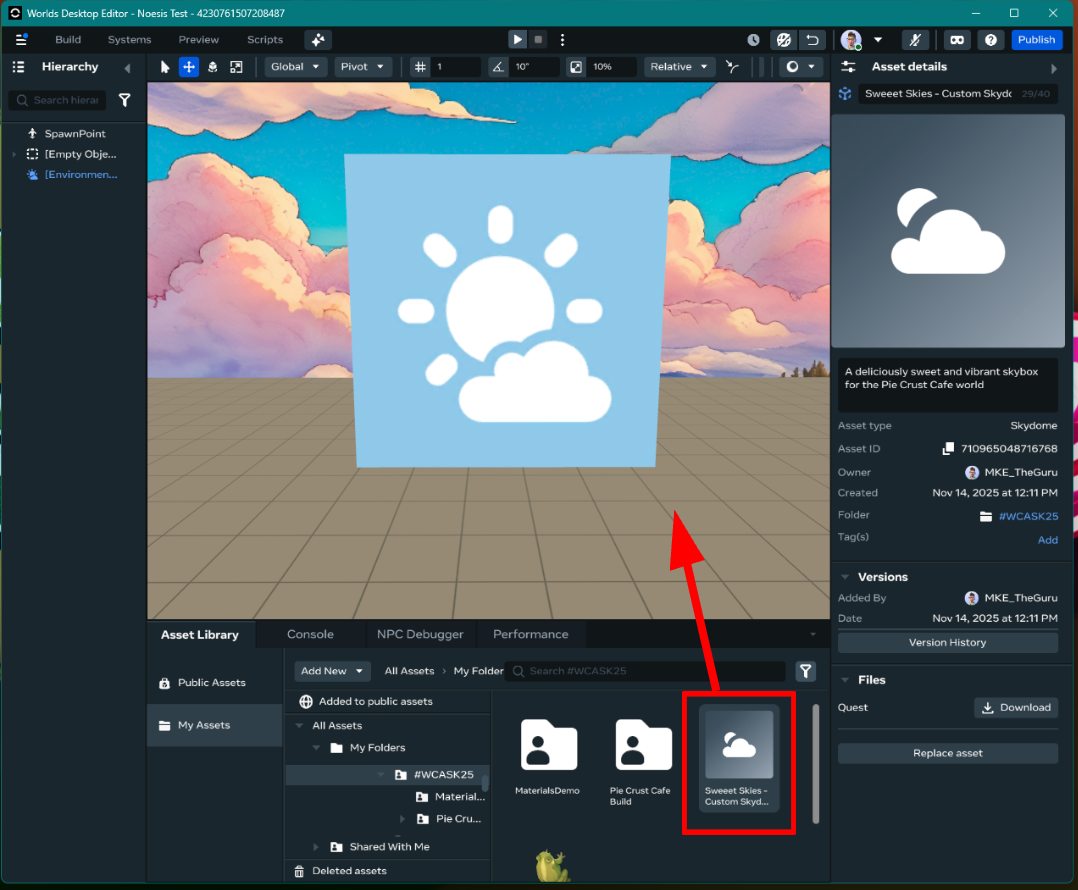
- Click and drag the uploaded skydome into your scene